MarkdownCo

PDF to Markdown
Free Online Tool

The best PDF to Markdown tool to extract text, tables, and images from your PDF files into clean, editable Markdown.

Smart LayoutTable RecoverySecure

Include images referenced in your PDF

Conversion History

File NameFile SizeStatusConversion TimeActions

No conversion history.

How to Convert PDF to Markdown Online

Extract text, tables, and images from PDF into clean Markdown in three steps.

Step 1

Upload Your PDF

Drag and drop a PDF file into the upload area or click to browse. We support text-based PDFs up to 10 MB — exported from Word, LaTeX, Google Docs, or any other authoring tool.

Step 2

Automatic Extraction

Our parsing engine analyzes the PDF structure and reconstructs headings, paragraphs, lists, tables, and code blocks into clean Markdown. Enable 'Extract Images' to include embedded graphics.

Step 3

Download Markdown

Download your converted .md file instantly. If images were extracted, you receive a ZIP archive containing the Markdown file and an images folder — ready for Git or your editor.

Popular Use Cases

Content migration from PDF
Migrate legacy PDF documentation to Git-backed Markdown for version control
Academic research extraction
Extract content from research papers for Obsidian, Notion, or personal knowledge bases
Content repurposing
Repurpose PDF reports and whitepapers into editable blog posts or wiki pages
Document archival
Convert locked PDF content to searchable, editable Markdown for long-term archival

Best Free PDF to Markdown Converter — Features & Benefits

Convert PDF to clean, editable Markdown with our advanced parsing engine. Accurately reconstructs headings, tables, code blocks, images, and document structure from PDF files.

Smart PDF Layout Recovery to Markdown

Our PDF to Markdown converter analyzes the PDF document structure to correctly identify and reconstruct headings (H1–H6), paragraphs, bullet lists, numbered lists, and blockquotes — preserving the logical flow and hierarchy of your document in clean Markdown syntax.
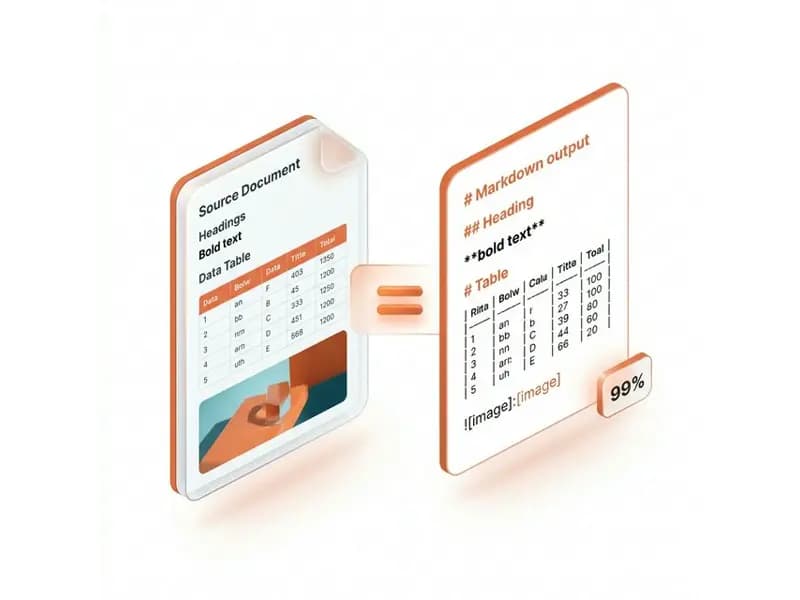
Smart layout recognition

Extract PDF Tables to Markdown Table Format

Complex tables in your PDF are detected and converted into clean GFM-compatible Markdown table syntax during PDF to Markdown conversion. Column alignment, headers, and cell content are preserved — ready for editing in any Markdown editor.
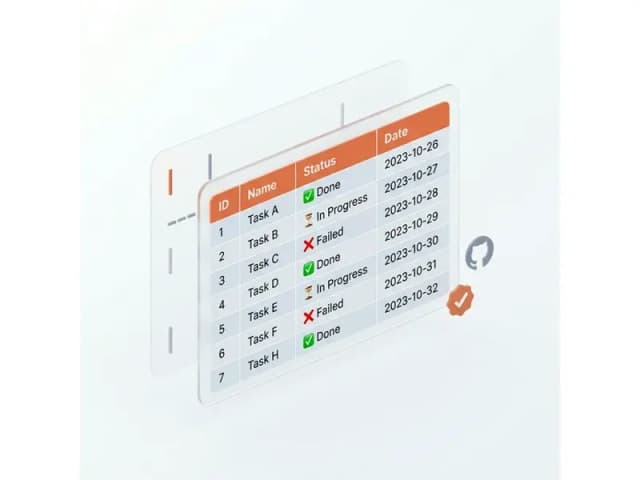
Table extraction

Secure PDF to Markdown Conversion

Your PDF files are encrypted during upload, converted to Markdown on secure servers, and permanently deleted after processing. We never store, read, or share your content — safe for converting confidential PDF documents.
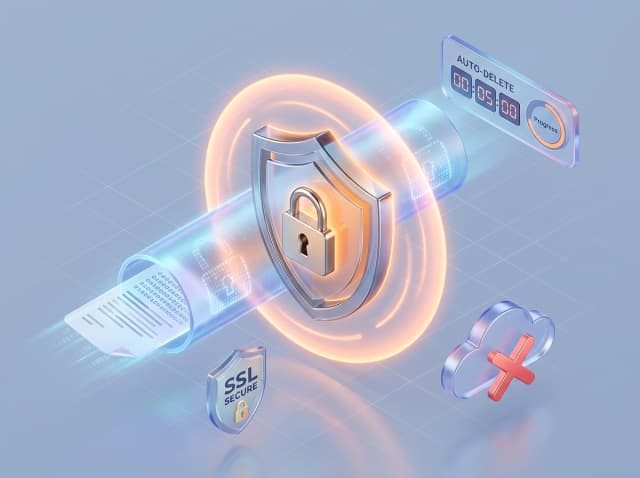
Secure processing

Extract Code Blocks from PDF to Markdown

Our PDF to Markdown converter detects code sections within technical PDF documents and wraps them in proper fenced Markdown code blocks (```), making them immediately usable in README files, developer documentation, and technical wikis.
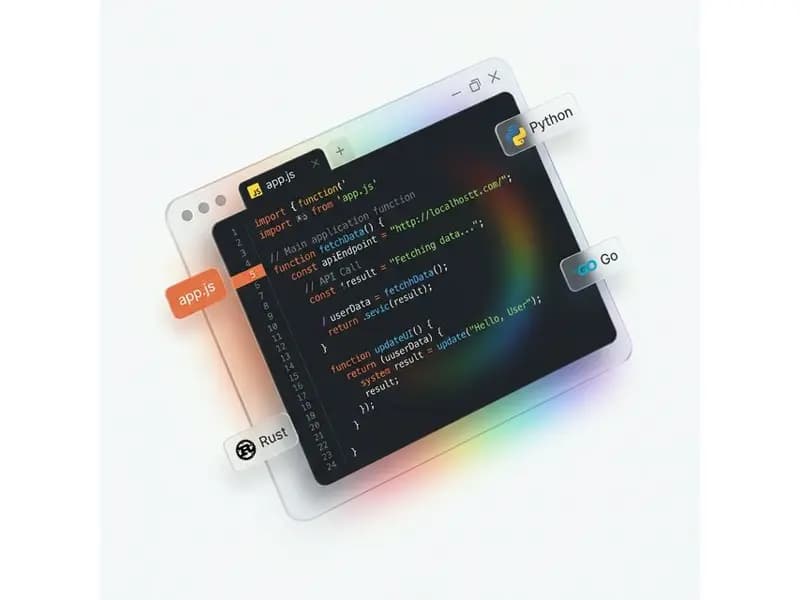
Code block detection

PDF to Markdown Conversion — Frequently Asked Questions

Converting PDF to Markdown lets you extract and reuse document content in a clean, editable, version-controlled format. Common use cases include: migrating legacy PDF documentation to Git-backed Markdown repositories on GitHub or GitLab, converting academic research papers to Markdown for Obsidian or Notion knowledge bases, repurposing PDF reports and whitepapers into editable blog posts or wiki pages for static site generators like Hugo, Jekyll, or Docusaurus, and enabling version control and diff tracking on previously locked PDF content.
Yes. Our PDF to Markdown parsing engine reconstructs headings (H1–H6), paragraphs, bullet lists, numbered lists, blockquotes, and code blocks from the PDF layout. The converter analyzes the document hierarchy and font sizes to correctly identify heading levels. Complex multi-column layouts or heavily designed PDFs with custom typography may be simplified to ensure the output is clean, readable Markdown that works in any Markdown editor.
Yes. When you convert PDF to Markdown with the 'Extract Images' option enabled, embedded images are extracted from the PDF and referenced in the Markdown output using standard image syntax (![alt](path)). When you download the result, you receive a ZIP archive containing the Markdown (.md) file alongside an images folder with all extracted assets — ready to commit to a Git repository or open in any Markdown editor.
Yes. Our PDF to Markdown converter detects table structures within the PDF and converts them to GFM-compatible Markdown table syntax with proper column headers and alignment. Note that heavily merged cells or visually complex tables with colspan/rowspan may be simplified to produce clean, valid Markdown table output that can be edited in any Markdown editor.
Yes. Our PDF to Markdown converter identifies code sections within technical PDF documents — typically rendered in monospace fonts like Courier — and wraps them in fenced Markdown code blocks (```). This makes code immediately usable in developer documentation, README files, technical wikis, and GitHub repositories.
Yes. Clickable hyperlinks in the PDF are converted to standard Markdown link syntax [display text](url) during PDF to Markdown conversion, preserving both the visible text and the destination URL. Both internal document links and external web URLs are captured.
Text-based PDFs work best for PDF to Markdown conversion — these are PDFs created by exporting from Microsoft Word, LaTeX, Google Docs, Apple Pages, or other document authoring software. The text layer is directly accessible, allowing our converter to accurately extract headings, paragraphs, lists, and tables. Scanned PDFs and image-only PDFs are not currently supported as they require OCR (optical character recognition) technology. Password-protected PDFs must have the password removed before converting to Markdown.
The maximum supported file size for PDF to Markdown conversion is 10 MB per file. This is sufficient for most technical documentation, research papers, reports, and e-books. Each conversion uses 1 credit. New users receive 3 free credits on sign-up — no credit card required to try the PDF to Markdown converter.
Most standard PDF to Markdown conversions complete in a few seconds. Larger PDF files or documents with many embedded images may take up to 30 seconds. A live progress indicator is shown while the PDF to Markdown conversion runs so you can track the status in real time.
Yes. All PDF file uploads and downloads use SSL/TLS encryption. Your PDF files are automatically and permanently deleted from our servers immediately after conversion to Markdown — we never store, read, analyze, or share your content. This makes our PDF to Markdown converter safe for converting confidential documents, internal reports, and proprietary technical documentation.