ChatGPT to Word, PDF & HTML: Free 2026 Export Guide
Export ChatGPT chats to Word, PDF, and HTML without broken tables, mangled code, or lost formulas. The 3-step Markdown workflow plus a free online converter.
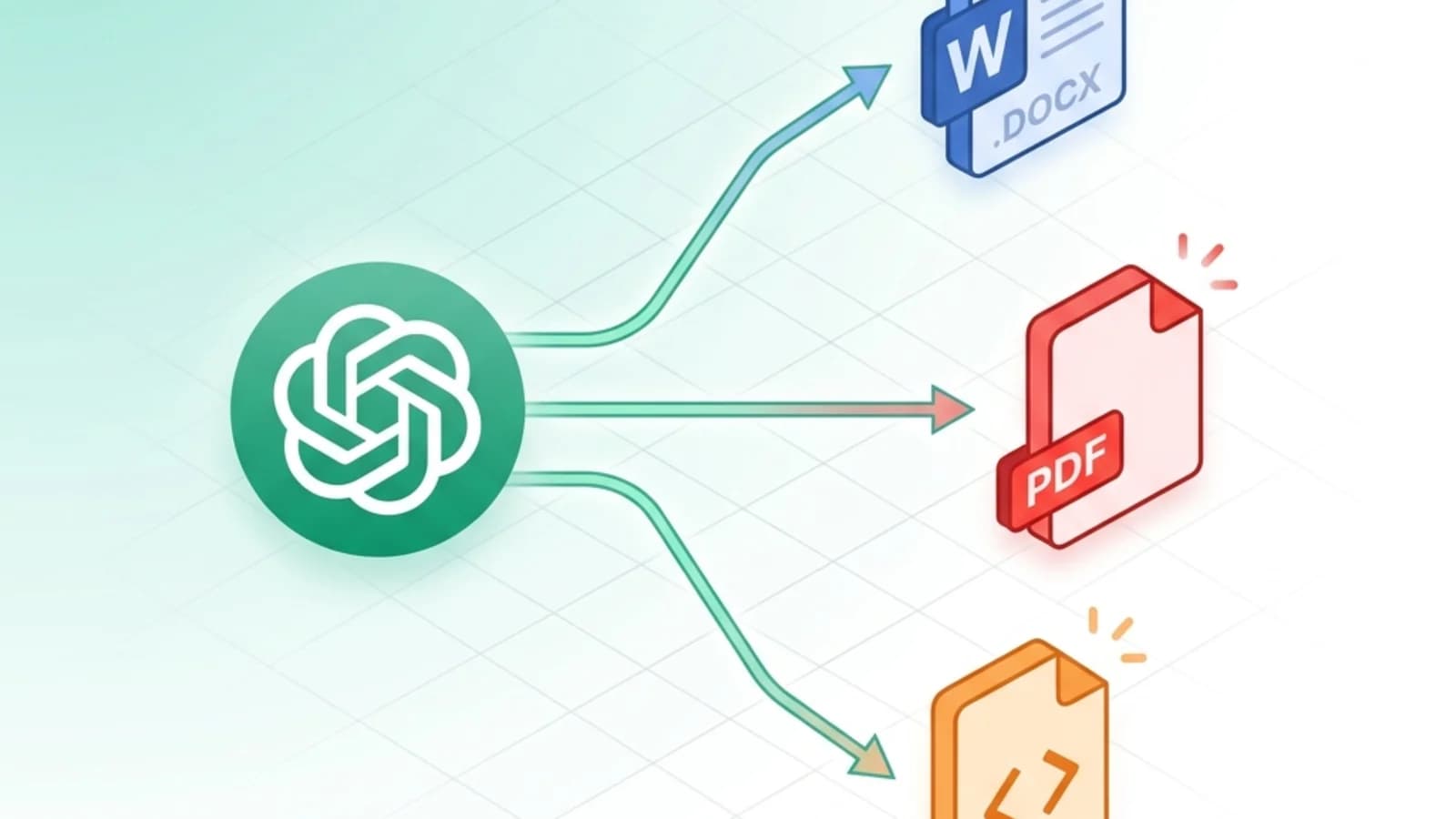
You spent thirty minutes prompting ChatGPT into the perfect research brief. You hit Ctrl+A, Ctrl+C, paste it into Word — and watch your tables collapse, your code blocks turn into black rectangles, and your equations dissolve into raw LaTeX gibberish. Sound familiar?
Direct copy-paste from ChatGPT to Word, PDF, or HTML is a formatting trap. The fix is shorter than you'd expect: route the answer through Markdown first. This guide shows you the three-step workflow that works for every AI chatbot — ChatGPT, Claude, Gemini, DeepSeek — and every output format you actually use.
TL;DR — The 3-Step Workflow
- Ask the AI to "respond in Markdown format" — explicitly, in your prompt.
- Click the "Copy code" button on the Markdown code block. Don't drag-select.
- Paste into the right converter for your output format:
- For Word: Markdown to Word
- For PDF: Markdown to PDF
- For HTML: Markdown to HTML
Total time: under two minutes. No signup. Your content is sent over an encrypted connection, converted, and deleted right afterward — never stored.
Why Direct Copy-Paste From ChatGPT Breaks
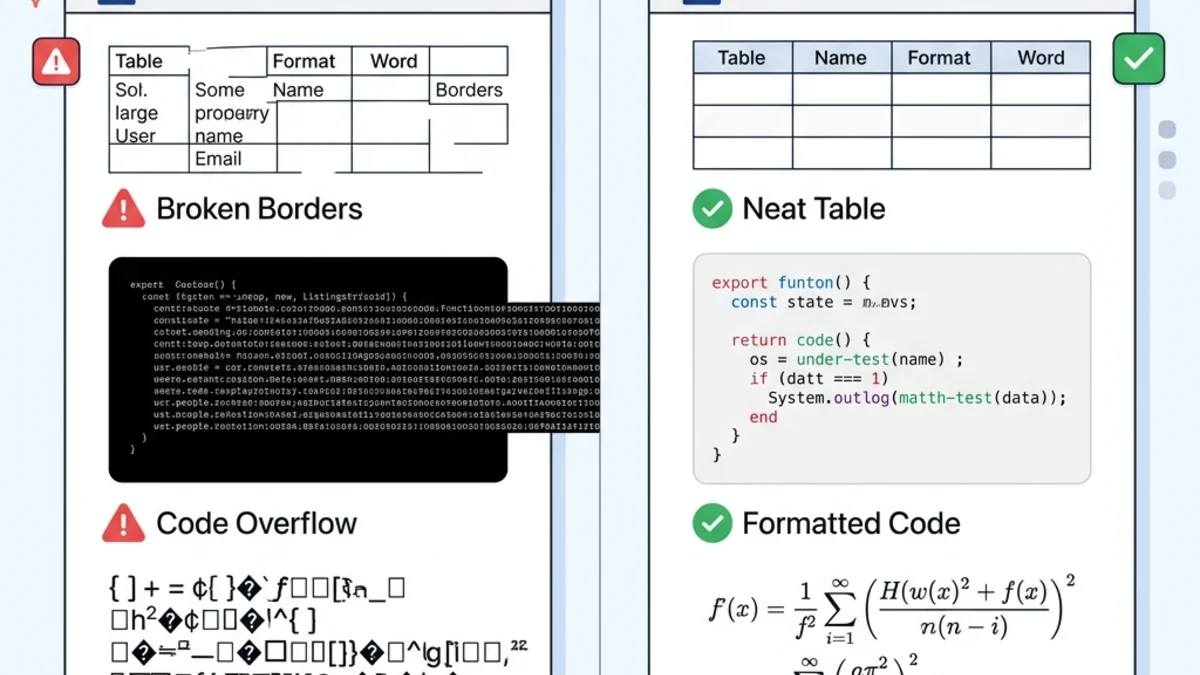
When ChatGPT renders a response in your browser, it generates HTML with inline CSS — the visual tables, the dark code-block backgrounds, the rendered formulas, all powered by web styles that exist only inside the chat UI.
The moment you copy that into Word or a PDF print dialog, three things go wrong at once:
| Element | Direct Paste Result | Markdown Workflow Result |
|---|---|---|
| Tables | Borders missing, columns misaligned | Native Word/PDF/HTML tables |
| Code blocks | Solid black background, unreadable when printed | Clean monospace, syntax preserved |
| LaTeX formulas | Raw $E=mc^2$ text | Rendered math equations |
| Headings | Inconsistent sizes, lost hierarchy | True H1/H2/H3 styles |
| Time to clean up | 20–30 minutes | Zero |
The root cause is a format mismatch: ChatGPT's UI styles don't map to Word's .docx XML model, to PDF's print layout, or to clean HTML. Markdown is the universal in-between language all three of them understand.
Step 1 — Get Clean Markdown Out of ChatGPT
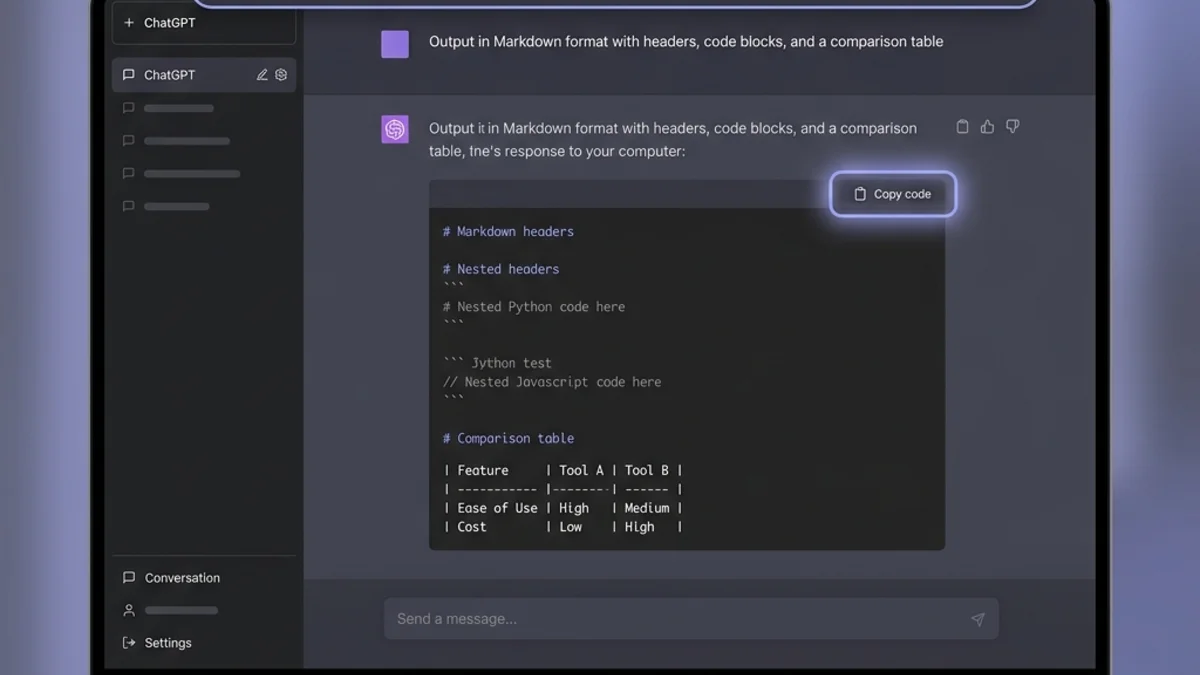
The quality of your final document is decided in the prompt. Compare:
❌ Vague:
Write a guide about REST APIs.
✅ Format-aware:
Write a guide about REST APIs in Markdown format. Use H2 and H3 headers,
fenced code blocks with language tags (```python, ```bash), a comparison
table for REST vs GraphQL, and bullet points for key takeaways.
ChatGPT will respond with a single fenced code block of pure Markdown. Click the "Copy code" button in the top-right corner of that block. Do not select the text manually — that pulls in hidden HTML wrappers and reintroduces the same paste problem.
Prompt Templates by Use Case
For business reports:
Output in Markdown with: H1 title, 3-4 H2 sections, bullet points for
findings, and a summary table at the end.
For technical documentation:
Output in Markdown including: H2 per endpoint, ```bash and ```json fenced
code blocks, and a parameters table with columns Name | Type | Required.
For academic content:
Output in Markdown with $$...$$ LaTeX delimiters for equations, numbered
lists for proofs, and [text](url) link syntax for citations.
Works With Every Major AI
The same prompt pattern works on Claude, Gemini, DeepSeek, Mistral, and any modern LLM. They are all trained on huge volumes of GitHub-flavored Markdown, so requesting it is the cheapest way to get reliably structured output.
Step 2 — Pick Your Output Format
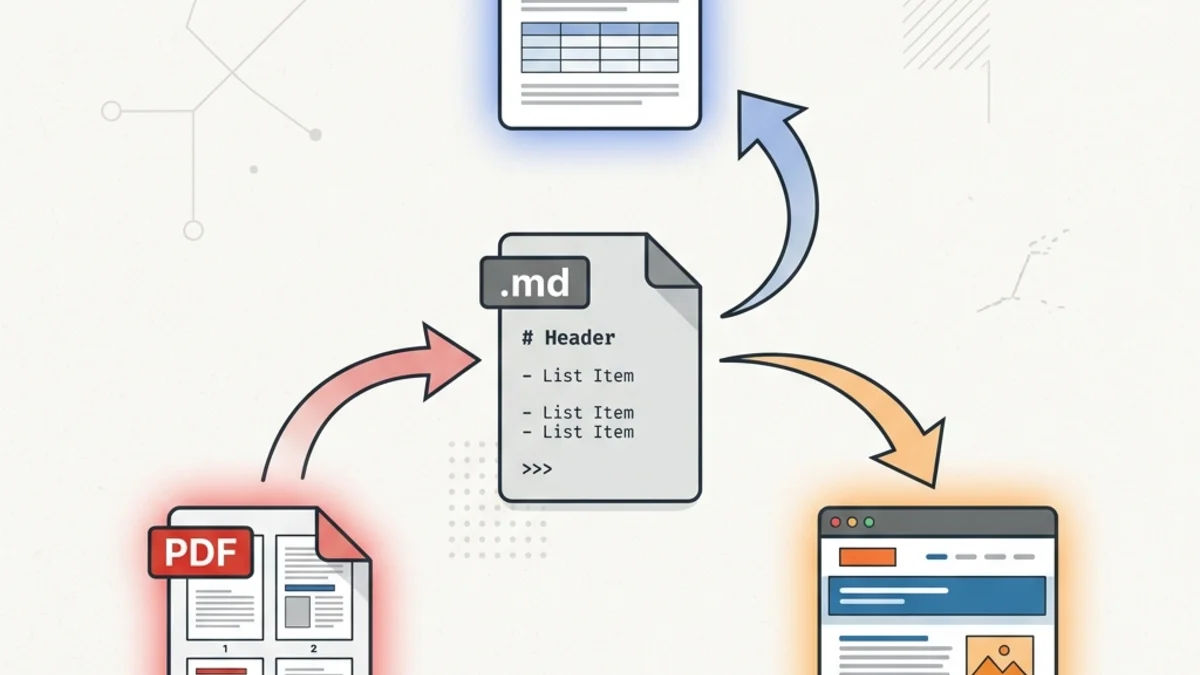
This is where most "ChatGPT to Word" guides stop. They shouldn't. Different deliverables need different formats — and once your AI output is in Markdown, you can target any of them from the same source.
ChatGPT to Word (.docx)
Best for: client deliverables, internal reports, contracts, anything that goes through Track Changes.
Paste your Markdown into Markdown to Word and download a true .docx file. The converter maps Markdown elements to Word's native XML styles:
# Heading→ Word's Heading 1 style (so your TOC works)**bold**→ bold runs- Pipe tables → editable Word tables with proper borders
- Fenced code blocks → monospace paragraphs with subtle shading
The output is a real Word document, not an exported HTML file with a .docx extension. Your colleague can edit it normally.
ChatGPT to PDF
Best for: archiving, printing, immutable sharing, regulated workflows where the document can't be edited downstream.
Use Markdown to PDF. The converter handles page breaks, embeds fonts so your output looks identical on any device, and preserves syntax-highlighted code blocks. If your ChatGPT response includes long code or wide tables, PDF is usually a better choice than Word — you avoid Word's awkward auto-wrapping. For a deeper dive — method comparison, long conversations, and troubleshooting — see the dedicated ChatGPT to PDF guide.
ChatGPT to HTML
Best for: publishing to a blog, pasting into Notion / Confluence, sending as a rich-text email, or feeding into a CMS.
Use Markdown to HTML. You get clean semantic HTML — <h2>, <table>, <pre><code> — with no inline-style bloat. Many CMSs (WordPress block editor, Ghost, Hashnode) accept HTML paste directly and convert it to native blocks.
Handling the Tricky Parts
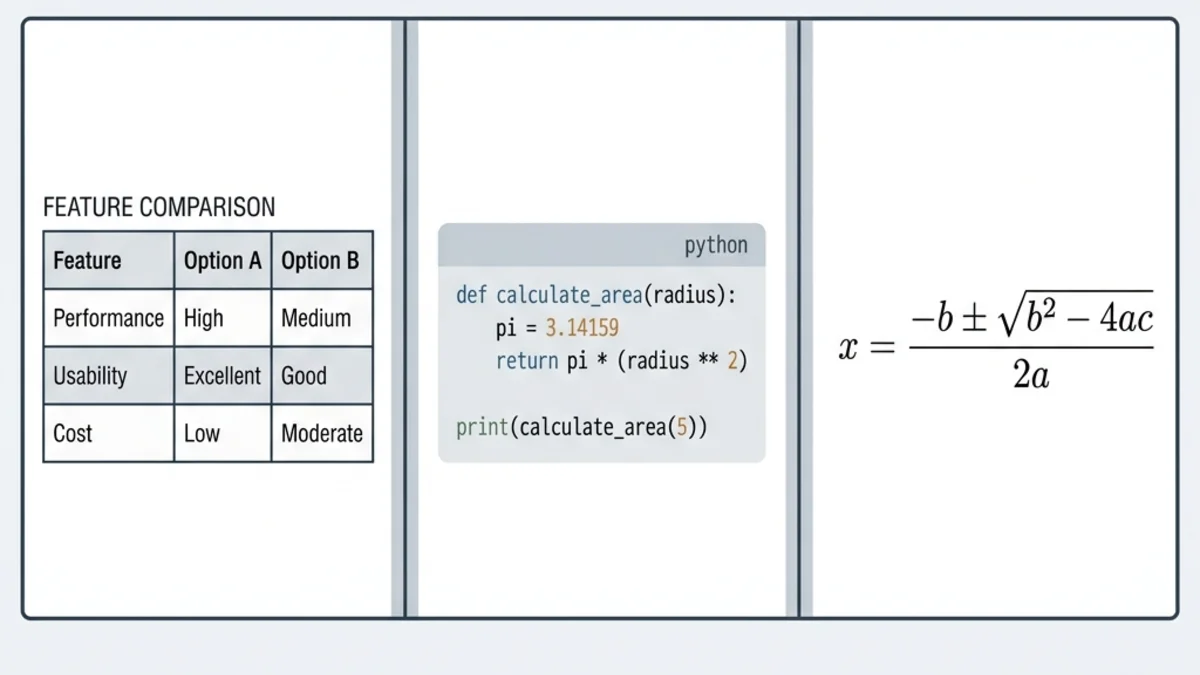
Three element types account for ~90% of ChatGPT-to-document complaints. Here's how each one survives the round trip.
Tables
ChatGPT outputs Markdown tables with pipe syntax:
| Feature  | Free Plan | Pro Plan  |
|----------|-----------|-----------|
| Storage  | 5 GB      | 100 GB    |
| Users    | 1         | Unlimited |
This converts cleanly to all three formats. Two rules:
- Always include the leading and trailing pipe (
|) on every row. - Keep the
---separator row directly under the header.
If a table looks misaligned in your final document, paste your Markdown into a previewer first — bad pipe alignment is the #1 cause.
Code Blocks
Always specify the language tag:
```python
def calculate_total(items):
    return sum(item.price for item in items)
```
The language tag does two things: it tells the converter to apply monospace formatting, and (in PDF / HTML output) it enables syntax highlighting. Code blocks without a language tag still work, but lose color.
LaTeX Formulas
ChatGPT can output academic notation between $$...$$ delimiters:
The quadratic formula: $$\frac{-b \pm \sqrt{b^2-4ac}}{2a}$$
In Word, this renders into the native equation editor (fully editable). In PDF and HTML, it renders as a typeset equation. If your converter strips the formula, the most common cause is missing $$ delimiters — single $ is for inline math and is sometimes ignored.
Images
This is the one element that doesn't fully automate. ChatGPT-generated images aren't in your Markdown — only a placeholder. You need to:
- Right-click the image in ChatGPT and Save image as...
- Insert it manually into your Word/PDF/HTML output after conversion.
Or, host the image somewhere public and use a URL:  — the converter will fetch and embed it automatically.
Going the Other Way: Word & PDF Back to Markdown
A workflow most ChatGPT-to-Word guides skip: sometimes you need the reverse trip. Your colleague sends you a Word draft, you want to feed it back into ChatGPT for revision, but ChatGPT chokes on .docx styling.
The fix:
- Word to Markdown — converts
.docxto clean Markdown that ChatGPT can read and rewrite. - PDF to Markdown — extracts text from PDFs as Markdown.
- HTML to Markdown — turns webpage clippings into Markdown for AI input.
This closes the loop: AI output → Word → human edits → back to Markdown → AI revision. No format gets lost in either direction.
4 Methods Compared
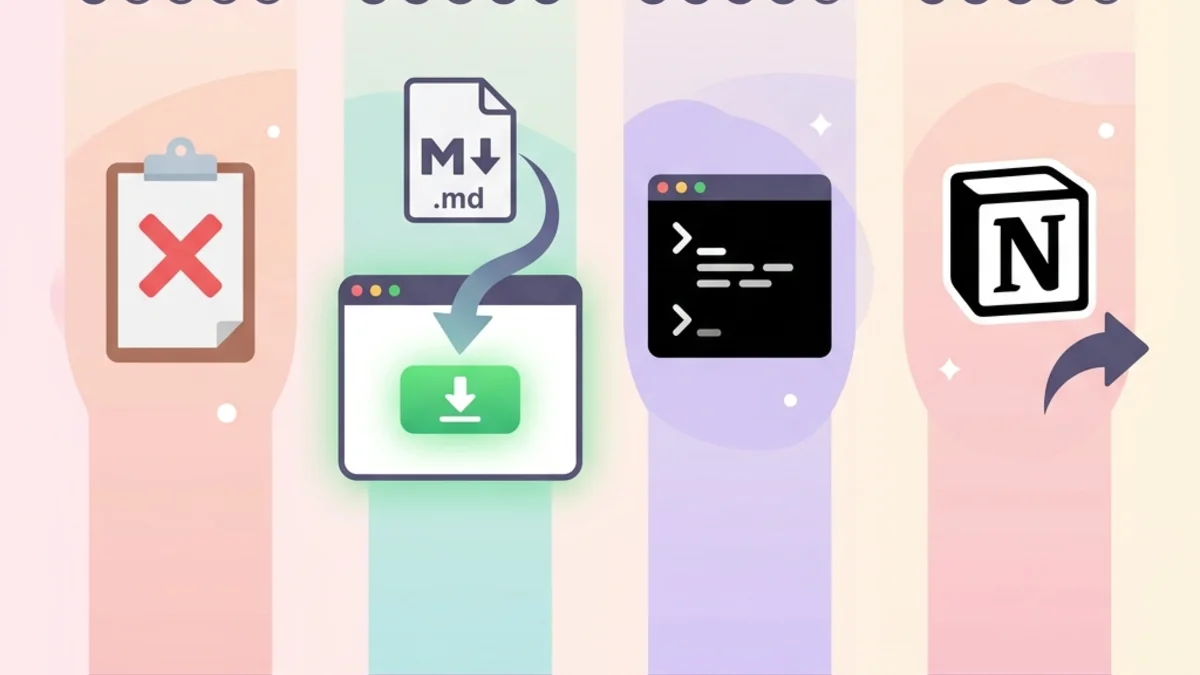
| Method | Setup time | Fidelity | Best for |
|---|---|---|---|
| Direct copy-paste | 0 min | ★ | Don't. Ever. |
| Markdown + online converter | 1 min | ★★★★★ | 99% of users |
Pandoc CLI (pandoc input.md -o output.docx) | 15 min install | ★★★★★ | Power users, scripting, batch jobs |
| Notion intermediate (paste → export) | 5 min | ★★★ | Notion-first teams; loses some code formatting |
For one-off documents, the Markdown + online converter route is the lowest-friction option. For repeated workflows (e.g., auto-generating weekly reports from an AI agent), Pandoc inside a script is worth the install cost.
Frequently Asked Questions
Does this workflow work with Claude, Gemini, or DeepSeek? Yes. Every modern LLM is trained on Markdown and responds to "output in Markdown format" prompts. The three-step workflow is identical regardless of which AI you use.
Will my Chinese, Japanese, or Arabic ChatGPT output convert correctly? Yes. Markdown is encoding-agnostic — it's a thin syntax layer on top of plain text. Multi-byte characters and right-to-left scripts pass through to Word, PDF, and HTML without issue.
Is my data uploaded to a server? Faithful Word and PDF output is generated on our servers, so your content is sent over an encrypted (SSL/TLS) connection, converted, and deleted shortly afterward. We never read, store, sell, or train on it — which matters when ChatGPT output contains client information or proprietary research.
Is there a file size limit? The converter handles up to ~10 MB of Markdown — roughly 2 million words, far more than any single ChatGPT session produces. For larger documents, split into sections.
Can I keep ChatGPT's formatting (bold, italic, lists) in Word?
Yes. Markdown's **bold**, *italic*, ordered lists, nested lists, blockquotes, and inline code all map to native Word, PDF, and HTML equivalents.
Can I edit the Word/PDF/HTML output after conversion? Word output uses standard Word styles (Heading 1, Normal, etc.), so a global theme change in Word's Design tab restyles the whole document instantly. PDF is non-editable by design — convert to Word first if you need edits. HTML is plain semantic markup you can drop into any CMS.
What if my ChatGPT response is split across multiple messages? Concatenate the Markdown blocks in a plain text editor (preserving blank lines between sections), then convert as a single document.
Putting It Into Practice
Three steps, one Markdown bridge, three output formats:
- Prompt ChatGPT (or Claude, Gemini, DeepSeek) for Markdown output.
- Click Copy code on the response — never drag-select.
- Paste into Word, PDF, or HTML — whichever format your audience needs.
This single workflow replaces the manual cleanup that costs most knowledge workers a few hours a week. The next time you finish a ChatGPT session and need a polished deliverable, try the Markdown bridge first.
Related Guides
- Ultimate Guide to Free Markdown to Word Converters — deep dive on Word-specific tooling.
- Markdown to PDF Guide — print-ready PDF best practices.
- Markdown to HTML Guide — clean web publishing from Markdown.
- Word to Markdown Guide — the reverse trip for AI-readable text.
Ready to ship your next ChatGPT-powered document? Open MarkdownCo and try the workflow now.