What is Markdown? A Practical Guide for Beginners
Learn what Markdown is, how it works, its core syntax, and why millions of developers and writers use it every day. A hands-on guide with real examples.

If you've ever written a README on GitHub, taken notes in Obsidian, or posted a formatted message on Reddit, you've already used Markdown — even if you didn't realize it. Markdown is everywhere, and for good reason: it's the simplest way to write structured content without wrestling with complex tools.
This guide covers everything you need to know about Markdown — what it is, how it works under the hood, the essential syntax you'll use daily, and the real-world scenarios where it shines. By the end, you'll understand why Markdown has become the default writing format for developers, technical writers, and content creators worldwide.
What is Markdown?
Markdown is a lightweight markup language created by John Gruber and Aaron Swartz in 2004. It lets you add formatting to plain text using simple, intuitive symbols — like # for headings, ** for bold, and - for lists — that can then be converted into HTML, PDF, Word documents, and more.
The core idea behind Markdown is radical simplicity: your source text should be readable as-is, even without rendering. Compare these two approaches to writing the same content:
HTML:
<h2>Shopping List</h2>
<ul>
  <li>Apples</li>
  <li>Bread</li>
  <li><strong>Milk</strong> (don't forget!)</li>
</ul>
Markdown:
## Shopping List

- Apples
- Bread
- **Milk** (don't forget!)
Both produce identical output, but the Markdown version is something you'd actually want to read and write. That's the whole point — Markdown removes the friction between thinking and writing.
How Does Markdown Work?
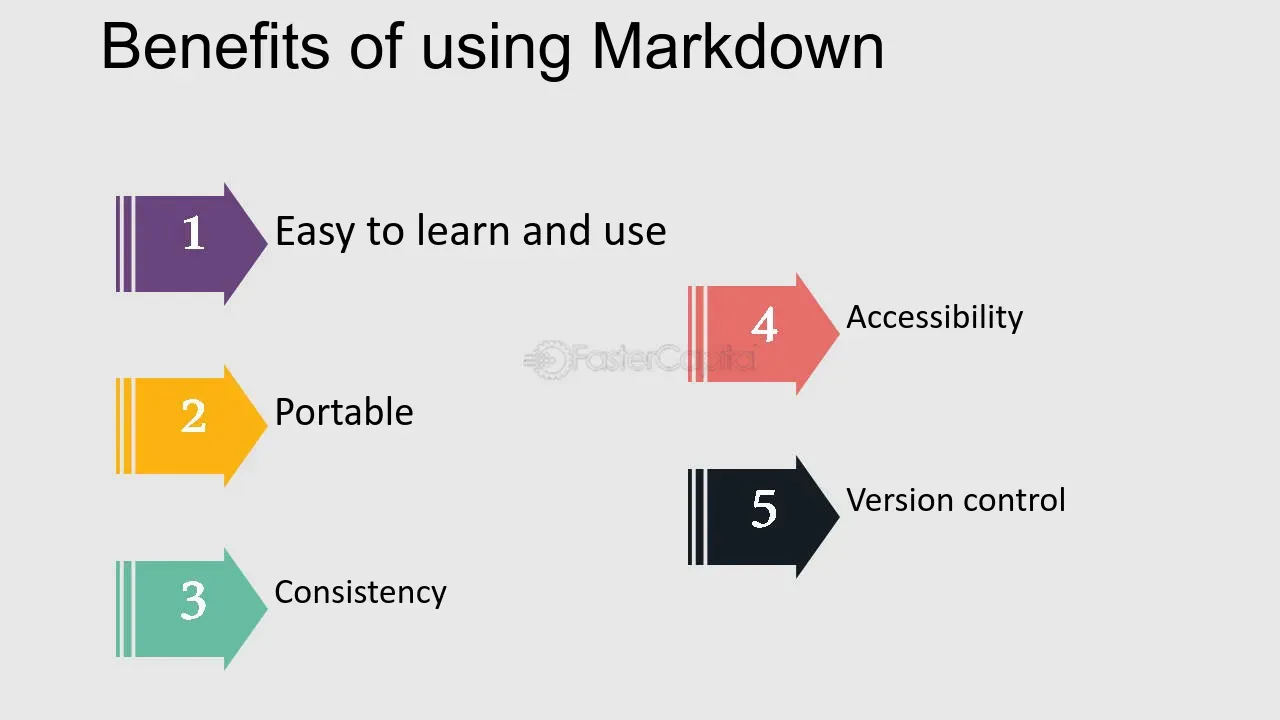
Understanding how Markdown works helps demystify the process. Here's what happens when you write a .md file:
- You write plain text with Markdown syntax in any text editor
- A Markdown parser (like CommonMark, markdown-it, or remark) scans your text for patterns
- The parser converts those patterns into structured HTML (or another output format)
- The output is rendered as a beautifully formatted document in your browser, PDF viewer, or editor
For example, when the parser encounters ## Shopping List, it recognizes the ## pattern and outputs <h2>Shopping List</h2>. When it sees **bold**, it produces <strong>bold</strong>.
This is why Markdown is so portable — the .md file itself is just plain text. You can open it on any device, in any text editor, and it remains perfectly readable. The rendering is handled separately by whatever tool you choose.
Most modern tools combine these steps seamlessly. When you type in Obsidian, Notion, or a GitHub comment box, you see the formatted result in real time. Behind the scenes, the same parse-and-convert cycle is happening — just instantly.
Markdown Syntax: The Essentials
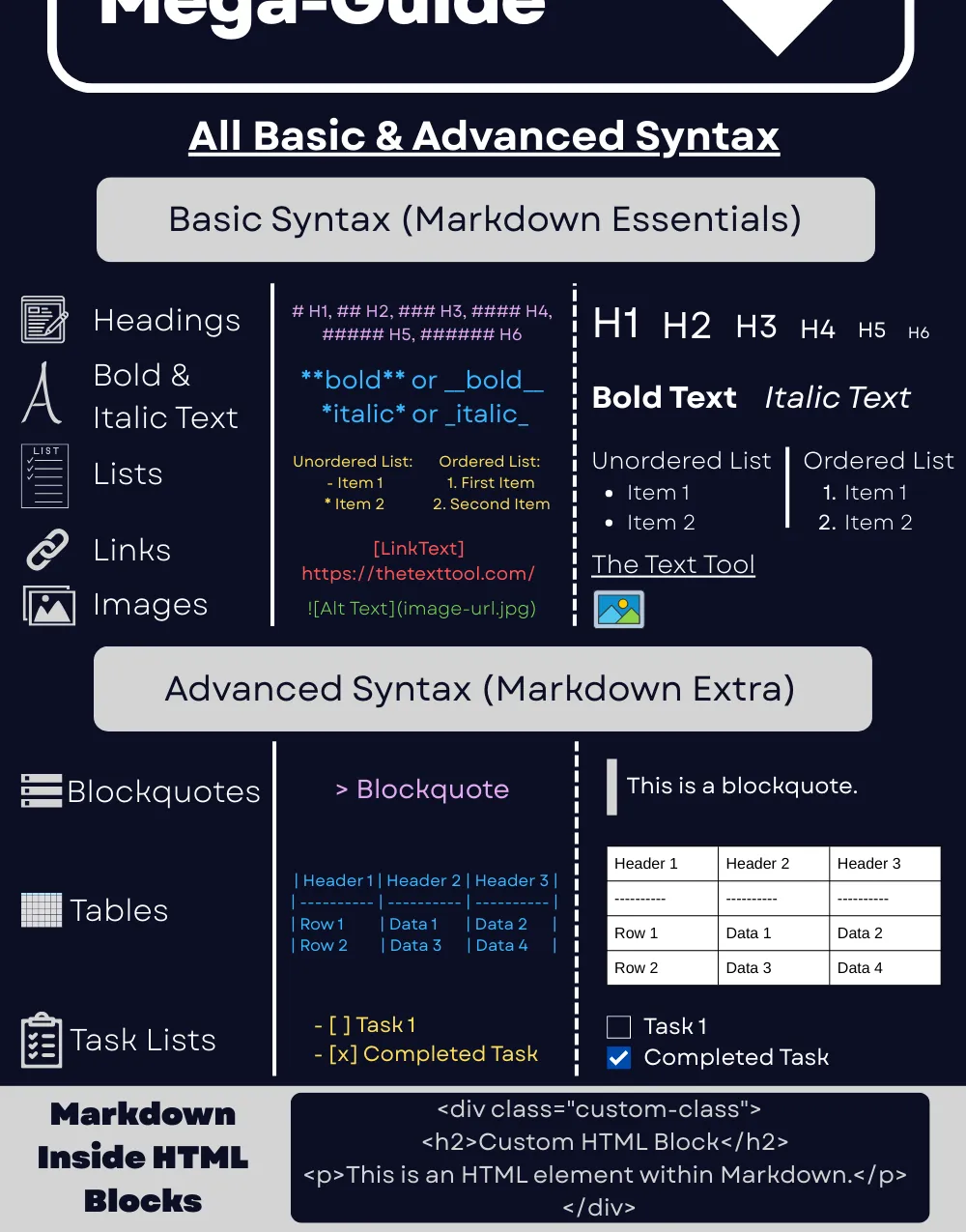
You can learn Markdown's core syntax in about 10 minutes. Here's everything you need to get started:
Headings
Use # symbols to create headings. More # symbols mean smaller headings:
# Heading 1
## Heading 2
### Heading 3
#### Heading 4
Text Formatting
**Bold text**
*Italic text*
***Bold and italic***
~~Strikethrough~~
Lists
Unordered lists use -, *, or +:
- First item
- Second item
  - Nested item
  - Another nested item
- Third item
Ordered lists use numbers:
1. First step
2. Second step
3. Third step
Links and Images
[Link text](https://example.com)

Blockquotes
> This is a blockquote.
> It can span multiple lines.
Code
Inline code uses single backticks: `variable_name`
Code blocks use triple backticks with an optional language identifier:
```python
def greet(name):
    return f"Hello, {name}!"
```
Tables
| Feature    | Markdown | HTML     |
| ---------- | -------- | -------- |
| Readability| High     | Low      |
| Learning   | Minutes  | Hours    |
| Portability| Excellent| Limited  |
Task Lists
- [x] Write the introduction
- [x] Add code examples
- [ ] Review and publish
This covers roughly 90% of what you'll use day-to-day. For a detailed walkthrough of each element — with HTML output comparisons, best practices, and common mistakes to avoid — see our Markdown Basic Syntax guide. The remaining 10% — footnotes, definition lists, custom containers — depends on which Markdown flavor you're using.
Why Use Markdown? 5 Concrete Benefits
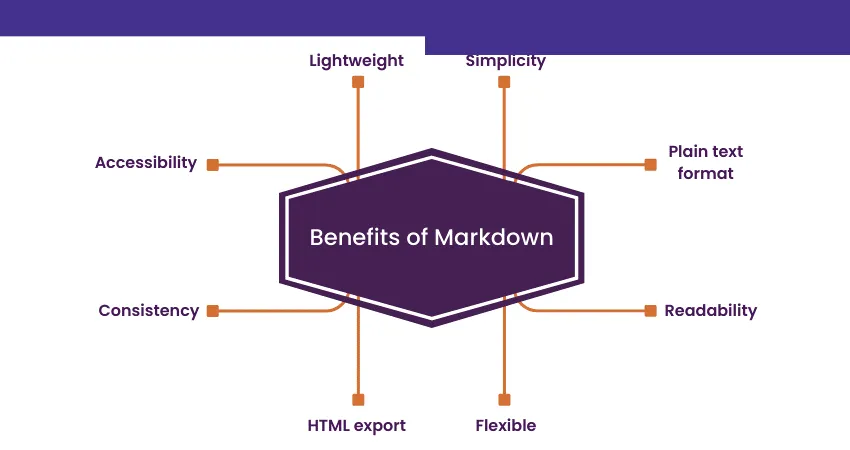
Markdown isn't popular by accident. Here's why it has won over millions of users:
1. It's Incredibly Easy to Learn
Unlike HTML, LaTeX, or rich text editors with dozens of toolbar buttons, Markdown's core syntax fits on a single page. Most people are productive within minutes of seeing their first example. If you can type **bold**, you already know Markdown.
2. Your Files Are Future-Proof
Markdown files are plain text. They'll be readable in 50 years, on any operating system, with any text editor. You'll never face the "I can't open this file" problem that plagues proprietary formats like .docx or .pages. Your content is never locked into a specific application.
3. It Plays Perfectly with Version Control
Because Markdown is plain text, Git can track every change line by line. This makes it ideal for collaborative documentation — you can see exactly what changed, who changed it, and when, through standard git diff and pull request reviews. Try doing that with a Word document.
4. One Source, Many Outputs
Write once in Markdown, then convert to whatever format you need:
- HTML for websites and blogs
- PDF for reports and printable documents
- Word (.docx) for clients who need editable files
- Slides for presentations
The reverse is equally useful. You can convert PDF to Markdown to extract content from existing documents, turn HTML pages into Markdown when migrating websites, or transform Word files to Markdown for version control.
This is where a reliable Markdown converter becomes invaluable — transforming your .md files into polished HTML, PDF, or Word documents while preserving your formatting and structure.
5. It's the Industry Standard
GitHub, GitLab, Reddit, Stack Overflow, Discord, Slack, Notion, Obsidian, Joplin, Jekyll, Hugo, Next.js — the list of platforms and tools that support Markdown is enormous and growing. Learning Markdown is an investment that pays off across your entire digital workflow.
What Can You Do with Markdown?
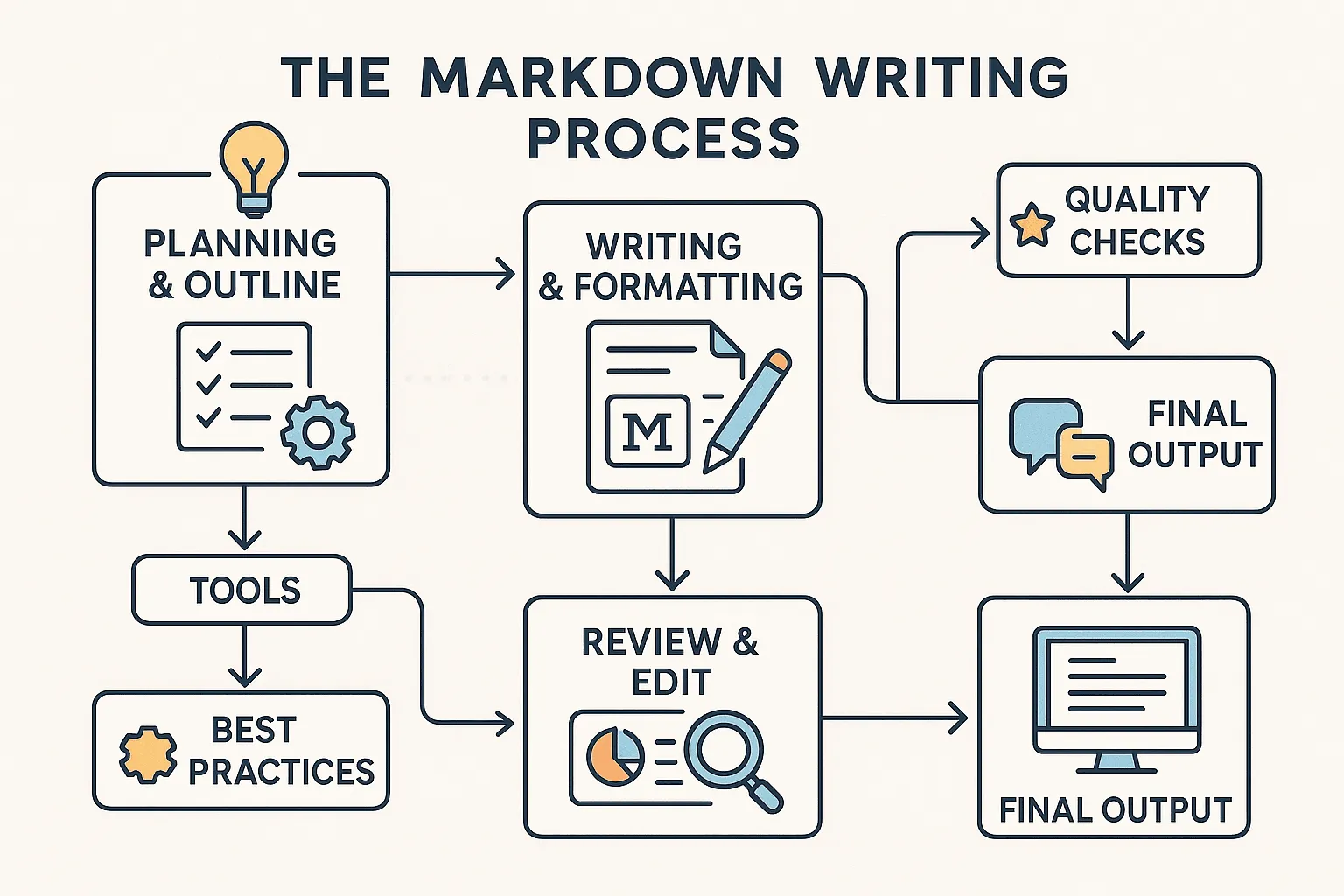
Markdown's versatility extends far beyond simple note-taking. Here's where people use it every day:
Software Documentation
Most open-source projects use Markdown for their README files, contributing guides, and API documentation. Tools like Docusaurus, MkDocs, and VuePress turn folders of .md files into full documentation websites. If you've ever read documentation on Read the Docs or GitHub Pages, you were reading rendered Markdown.
Websites and Blogs
Static site generators — Jekyll, Hugo, Next.js, Astro, Gatsby — use Markdown as their content layer. You write blog posts in .md or .mdx files, and the framework handles converting them into web pages. This very blog post you're reading was written in Markdown.
Notes and Knowledge Management
Apps like Obsidian, Logseq, and Joplin use Markdown as their native format. Your notes are just .md files in a folder — no proprietary database, no vendor lock-in. You can search them with any tool, back them up anywhere, and switch apps without losing anything.
Professional Documents
Need to send a polished report to a client? Write it in Markdown for speed, then convert it to PDF or export to Word. The formatting stays clean, and you keep your plain-text original for version control. Many technical teams use this workflow for proposals, specifications, and internal reports.
Email and Messaging
Platforms like Slack, Discord, and Microsoft Teams support Markdown formatting in messages. Bold, code blocks, links, and lists all work right in the chat window. Some users even compose longer emails in Markdown before converting them.
Markdown Flavors: Not All Markdown is the Same

One thing that trips up newcomers: there isn't just one version of Markdown. Over the years, different platforms have added their own extensions, creating what are called "flavors."
CommonMark
The closest thing to a Markdown standard. CommonMark is a strict specification that defines exactly how every syntax element should be parsed, eliminating the ambiguity in John Gruber's original Markdown description. If you want consistent rendering across tools, target CommonMark.
GitHub Flavored Markdown (GFM)
GitHub's extension of CommonMark adds features developers love: task lists (- [x] Done), tables, strikethrough (~~text~~), and automatic URL linking. If you write on GitHub, you're using GFM.
Other Flavors
- MDX: Markdown + JSX components (used in React-based sites like this one)
- R Markdown: Markdown with embedded R code for data science
- MultiMarkdown: Adds footnotes, citations, and cross-references
The good news: the core syntax is the same across all flavors. Once you learn basic Markdown, you can work anywhere — you'll just pick up flavor-specific extras as needed.
Getting Started: Your First Steps
Ready to start writing in Markdown? Here's a quick path:
-
Try it now: Open any text editor (VS Code, Sublime Text, or even Notepad) and create a file called
notes.md. Write some headings, lists, and bold text. -
See the result: If you're using VS Code, press
Ctrl+Shift+V(orCmd+Shift+Von Mac) to open the built-in Markdown preview. Watch your plain text transform into formatted content. -
Convert it: When you need to share your Markdown as a polished document, use our free online Markdown converter to transform it into HTML, PDF, or Word — instantly and securely, right in your browser.
-
Go deeper: Check out our Markdown Basic Syntax guide for a complete reference, then explore extended syntax for tables, footnotes, and more advanced features.
Markdown's beauty lies in its low floor and high ceiling — you can start with the basics and gradually adopt more advanced features as your needs grow. The best way to learn is simply to start writing.